多層級收合式選單 Multi-level Accordion
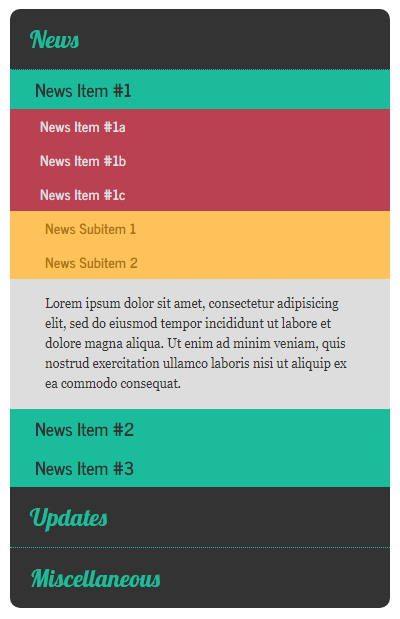
CSS: <link href='https://fonts.googleapis.com/css?family=News+Cycle:400,700' rel='stylesheet' type='text/css'> <link href="https://fonts.googleapis.com/css?family=Lobster" rel="stylesheet" type="text/css"> <style> * { margin:0; padding:0; } body { font-size:100%; } .accordion { width:380px; margin:20px auto; } .accordion h1, h2, h3, h4 { cursor:pointer; } .accordion h2, h3, h4 { font-family:"News Cycle"; } .accordion h1 { padding:15px 20px; background-color:#333; font-family:Lobster; font-size:1.5rem; font-weight: normal; color:#1abc9c; } .accordion h1:hover { color:#4afcdc; } .accordion h1:first-child { border-radius:10px 10px 0 0; } .accordion h1:last-of-type { border-radius:0 0 10px 10px; } .accordion h1:not(:last-of-type) { border-bottom:1px dotted #1abc9c; } .accordion div, .accordion p { display:none; } .accordion h2 { padding:5px 25px; background-color:#1abc9c; font-size:1.1rem; ...